entra-tui: Microsoft Entra ID, Now Without the Mouse
Table of Contents
I like terminal UIs. I like using them, and it turns out I like building them
even more. This is not my first one — TFTUI
has been keeping people out of terraform state list | grep for three years —
and going by the evidence, it will not be my last.
The reasoning is not complicated. Who wants to reach for a mouse when that can be avoided? The mouse is a device that asks you to take your hands off the keyboard, move a small plastic animal across a desk, aim at a rectangle drawn by someone who has never met you, and click it. Then do it eight more times, because the thing you actually wanted was four blades deep in a navigation tree.
Which brings us, inevitably, to the Azure Portal.
Meet entra-tui: a terminal browser
for Microsoft Entra ID, in the spirit of k9s. Same
vocabulary — : changes view, / searches, Esc backs out, ? explains
itself. If your fingers already know k9s, they already know this.
What it does
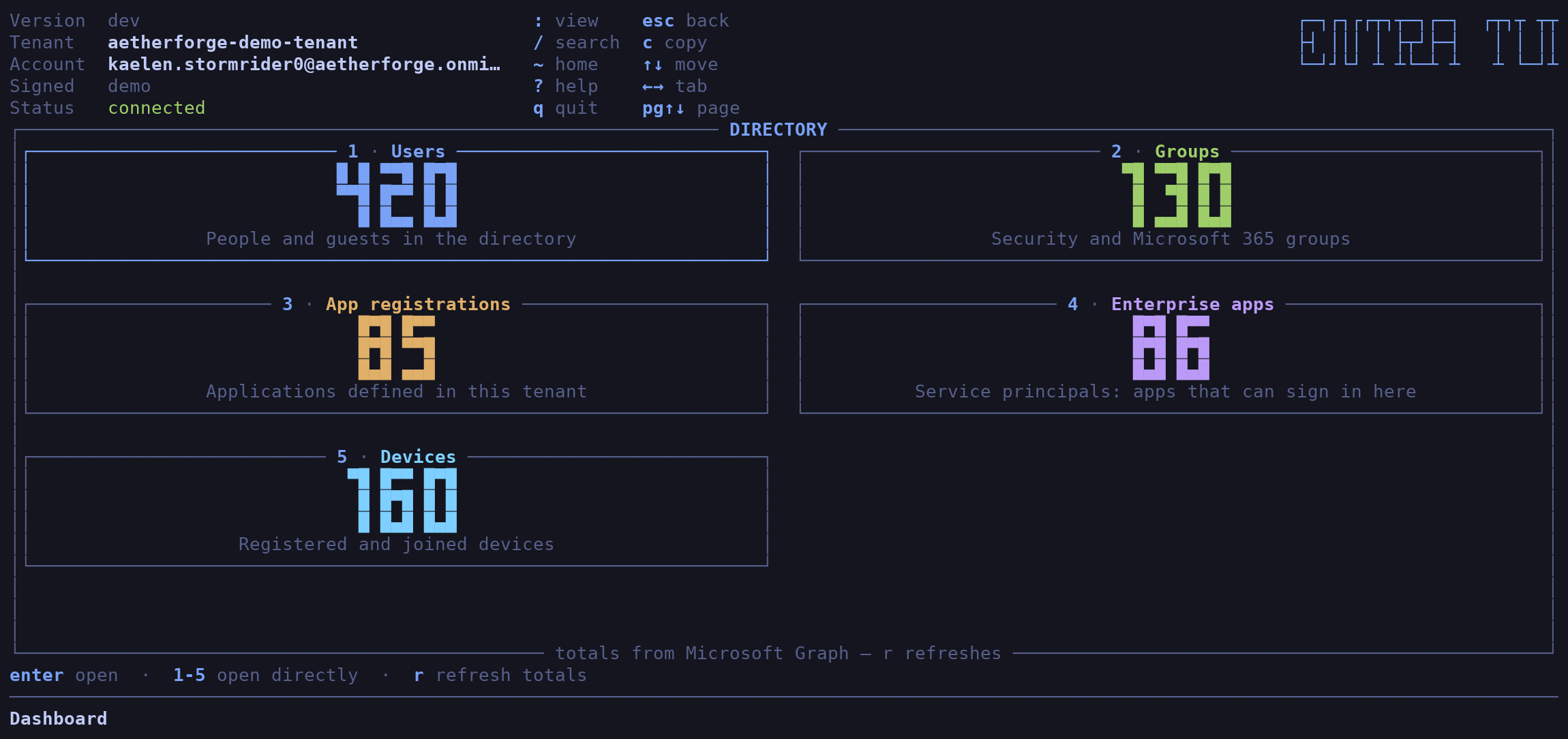
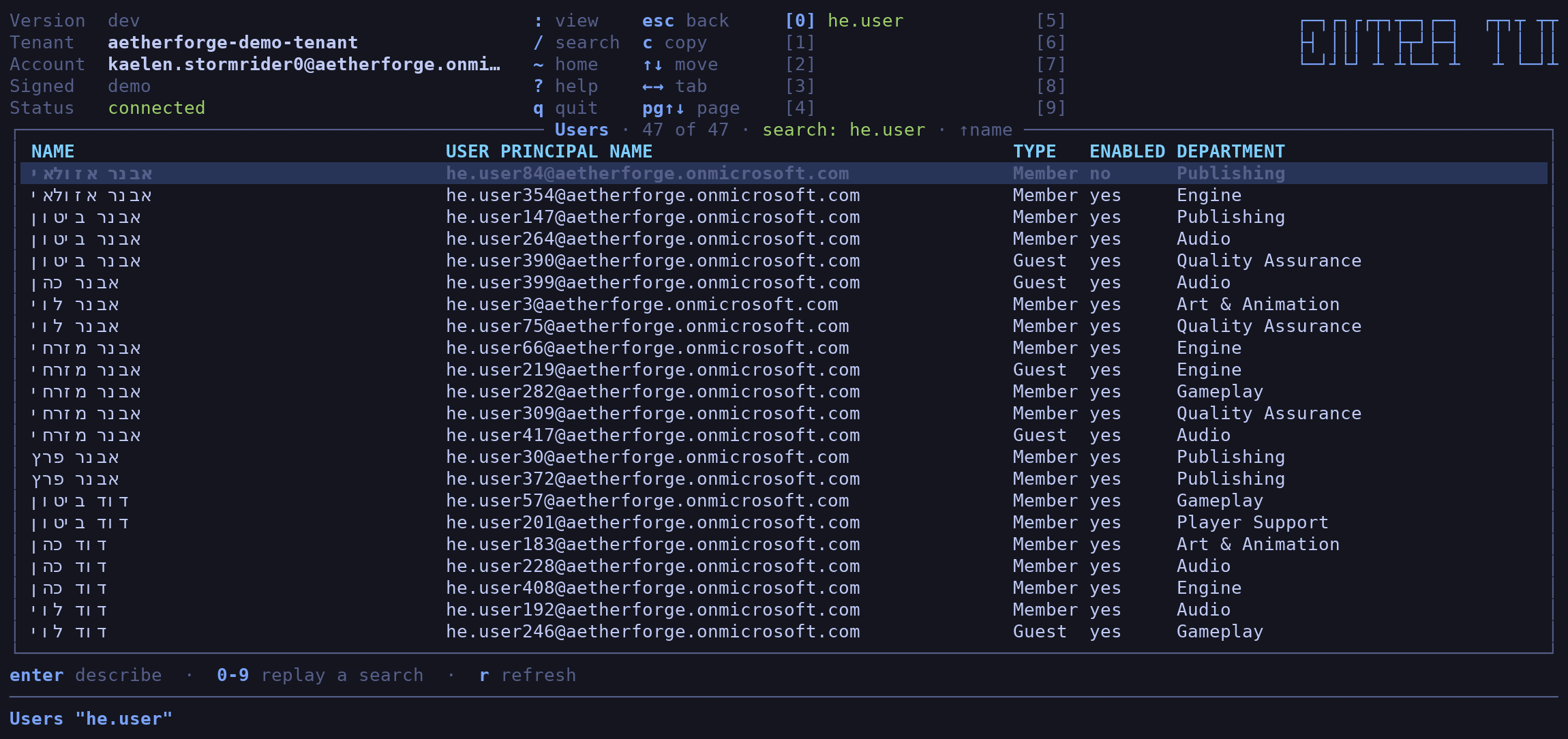
Five things to look at — users, groups, app registrations, enterprise apps and devices. Each one is a digit on the dashboard, or a word after a colon if you prefer typing to counting.
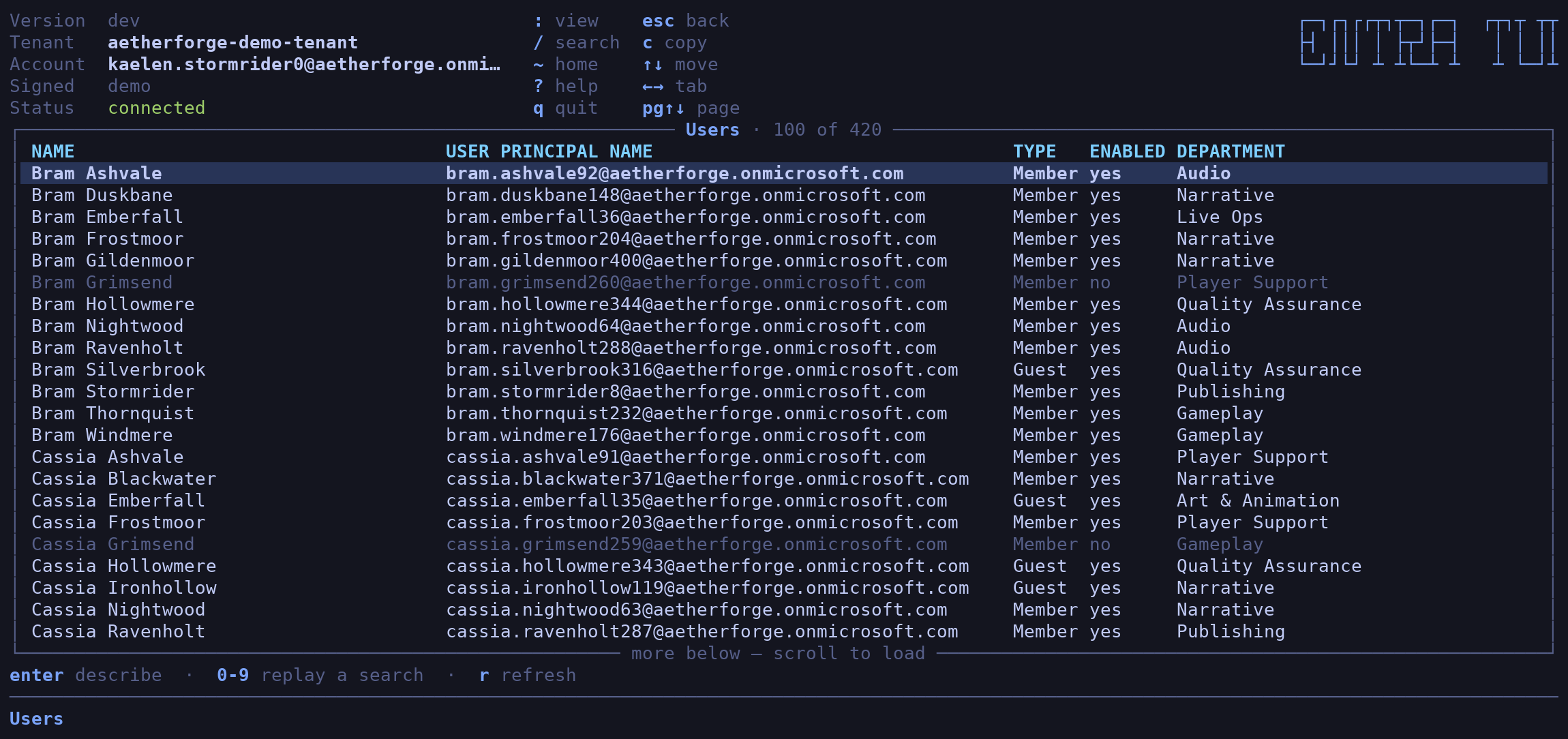
Lists are tinted by state rather than by a column you have to go and read: disabled accounts dimmed, lapsed credentials amber.
Getting around
Search hits the directory itself, not the rows that happen to be on screen — and a search that found something gets a number, so you can fire it again later with one keystroke instead of retyping it.
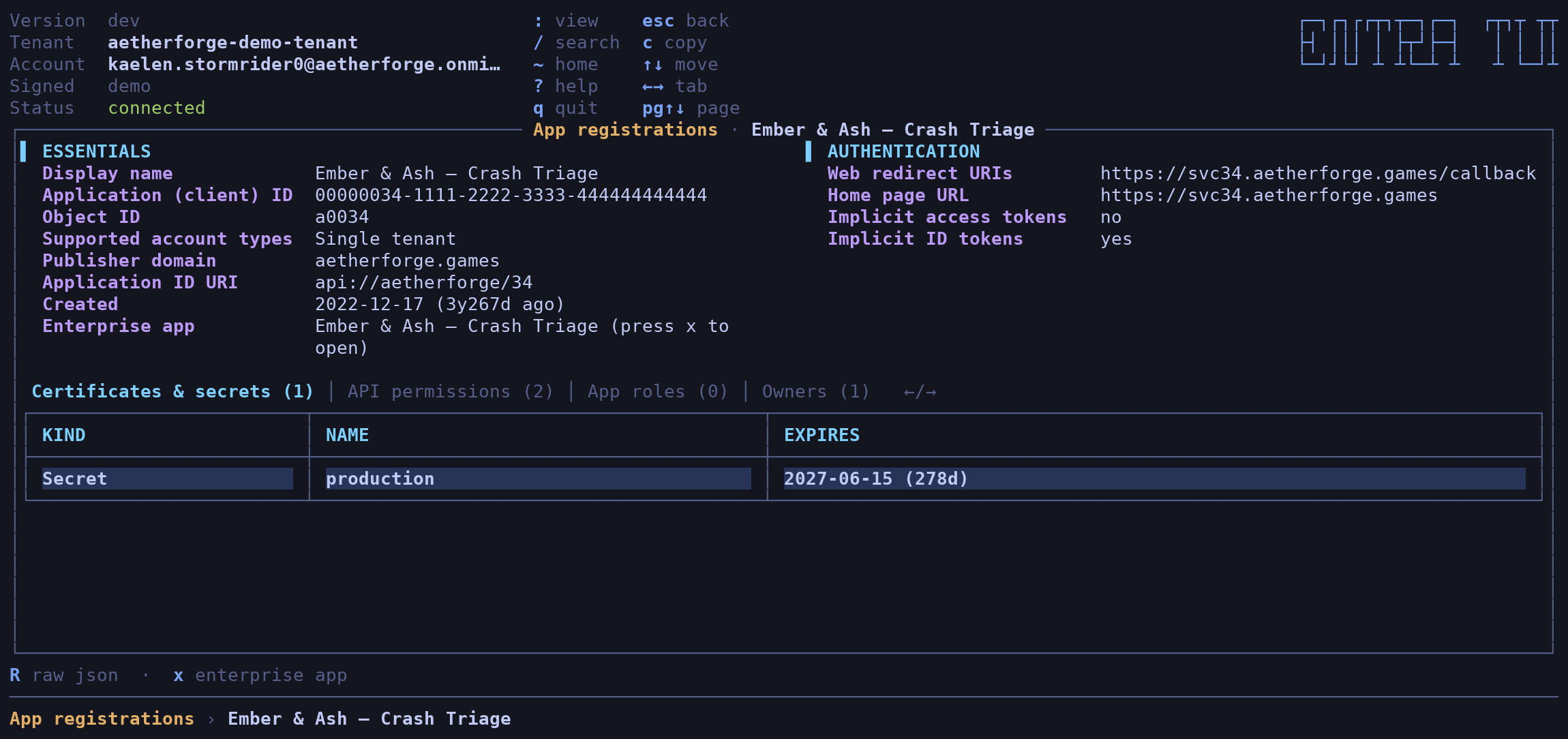
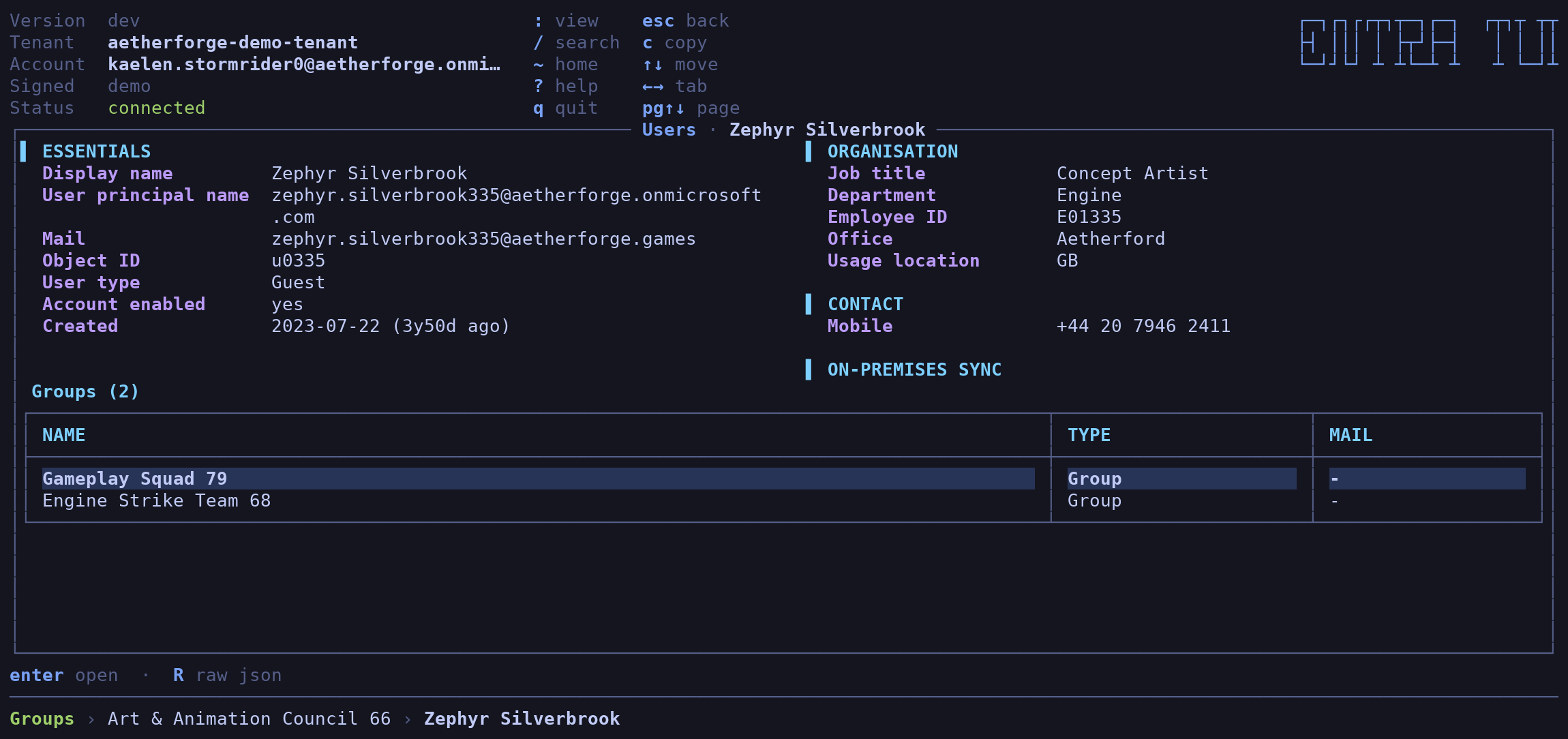
Open any object and you get its own fields on top, with everything it is connected to as tabs underneath: members, owners, groups, certificates, API permissions, app roles.
From there you can keep going. Open a member, then that member’s group, then an owner of that — a trail along the bottom shows how deep you are, and you back out one layer at a time.
A few things I wanted and now have:
- Jumping straight between an app registration and its enterprise app, which are two halves of the same thing in Entra and roughly four thousand miles apart in the portal.
- API permissions shown as names, not as a column of GUIDs.
- The raw JSON, one key away, for when the pretty view has opinions.
- Copying an object id straight to the clipboard — including over SSH, to the machine you are actually sitting at.
- Hebrew and Arabic names that read the right way round, because most terminals will not do that for you.
What it will change
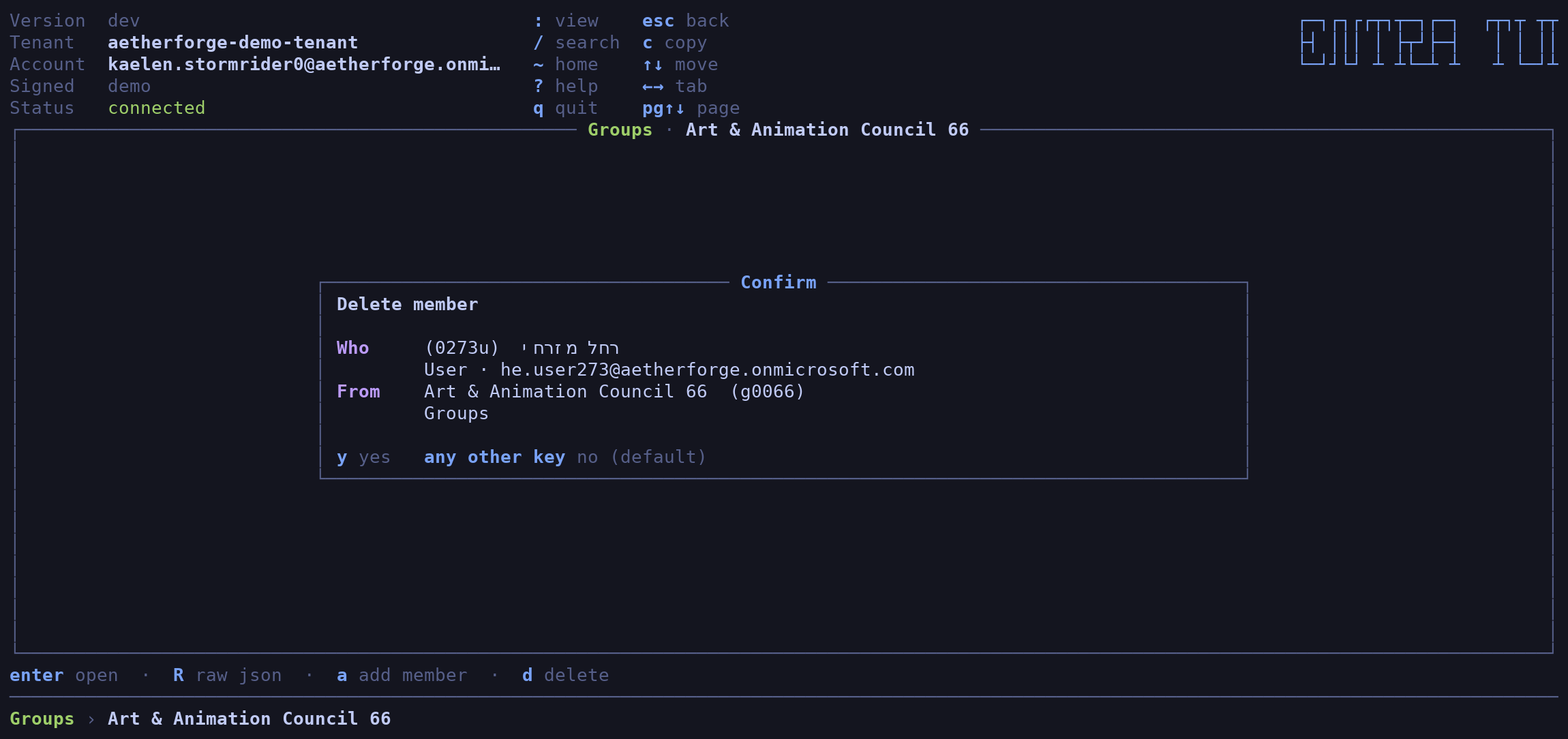
Almost nothing, on purpose. entra-tui creates no objects, deletes no objects and renames nothing. What it will edit is who belongs to what: group members and owners, application owners, device owners, and who is assigned to an enterprise app.
Every change is confirmed first, naming both sides by display name and by id,
and only y goes through.
The security model
This is the part I would want to read about someone else’s tool before pointing it at my tenant:
- It has no credentials of its own. No client id, no scopes, no browser
flow, nothing cached on disk. It borrows the token from your existing
az loginsession, so it can only ever do what you can already do. It cannot widen its own permissions, because they were never its permissions. - It signs in before drawing anything. A dashboard that renders, says “connected”, and then quietly admits it never signed in is worse than no dashboard.
- Names from the directory are treated as hostile. A display name is attacker-controlled in any real tenant, and a terminal is an interpreter. Everything is scrubbed before it is drawn, and there is a test that renders every screen from a name booby-trapped with escape sequences.
- Failed writes are reported, never retried. A change that may already have landed does not get a second attempt.
Try it with no tenant at all
entra-tui -demo
No tenant, no sign-in, no network — it invents a fictional game studio on the spot and browses that instead. 420 people, 130 groups, 85 app registrations, 160 devices, a believable number of ownerless objects, and Hebrew names so the right-to-left handling gets exercised by default.
Every screenshot in this post is that fake studio.
The Go part, and the Claude part
Here is the bit I should be straight about: I did not write this code. Claude did. All of it, in Go — Bubble Tea and Lipgloss for the interface, and the standard library for everything else. Three direct dependencies, total.
TFTUI was Python. This one is Go, which means it ships as one static binary with nothing to install alongside it.
Where it landed:
| Application code | ~10,300 lines |
| Test code | ~7,100 lines |
| Tests | 327 |
| Direct dependencies | 3 |
| CI checks | go test, go vet, gofmt, govulncheck, 5-platform cross-compile |
Two testing habits are doing most of the work. Golden screens: every screen is rendered from the demo directory and committed as text, so a layout change shows up as a readable diff rather than as nothing at all, and CI fails if they are stale. And driving the real binary through a PTY with a terminal emulator attached — fork, set the window size, answer the terminal queries Bubble Tea blocks on, send keys, read the grid back cell by cell. That rig has caught bugs in a single round that the unit tests were never going to see. It also draws the PNGs above, straight out of the terminal buffer.
My job was the other half: running it, finding the places where it was wrong, and saying so. That loop is the whole trick. It is also why the architecture notes in the repo read like a list of confessions — each invariant is something that has already broken once, written down so it does not break twice.
Install it
brew install idoavrah/homebrew/entra-tui
Or go install github.com/idoavrah/entra-tui/cmd/entra-tui@latest, or grab a
binary for macOS, Linux or Windows from
Releases.
Then:
az login
entra-tui
Now your turn
entra-tui is a few days old, MIT-licensed, and deliberately unfinished. Directory roles, administrative units, conditional access policies, sign-in logs — none of it is there yet.
That is not an oversight, it is the whole approach. I did not want to build bloatware: a tool with forty views, thirty-eight of which nobody opens twice, each one more surface to maintain and more clutter between you and the thing you came for. I would rather ship the small set I know gets used and then add what people actually reach for — so tell me what that is, and I will build it.
So please: break it and tell me about it. Open an issue when a view is wrong, when something your tenant has is missing, or when a name renders in a way that makes you sad. Open a PR if you would rather just fix it. And if you only have opinions about the keybindings, I want those too — I have strong opinions about keybindings, which is exactly why other people’s are useful.
A star is also fine. I am not proud.